- Visit: https://my.esr.nhs.uk
- Click "Login to ESR"
- Enter your Username and Password
- Click "Log In"
Logging in for the first time
- Visit: https://my.esr.nhs.uk
- Click Login to ESR
- Click “Forgotten | Request Username/Password | Unlock Account
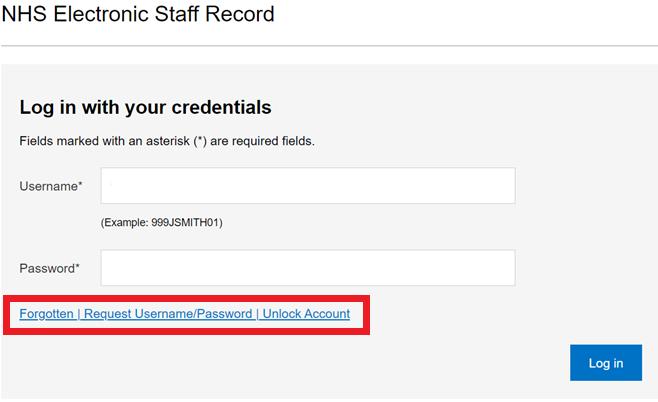
- Scroll down to the Forgotten | Request Username/Password | Unlock Account section highlighted in the red box below.
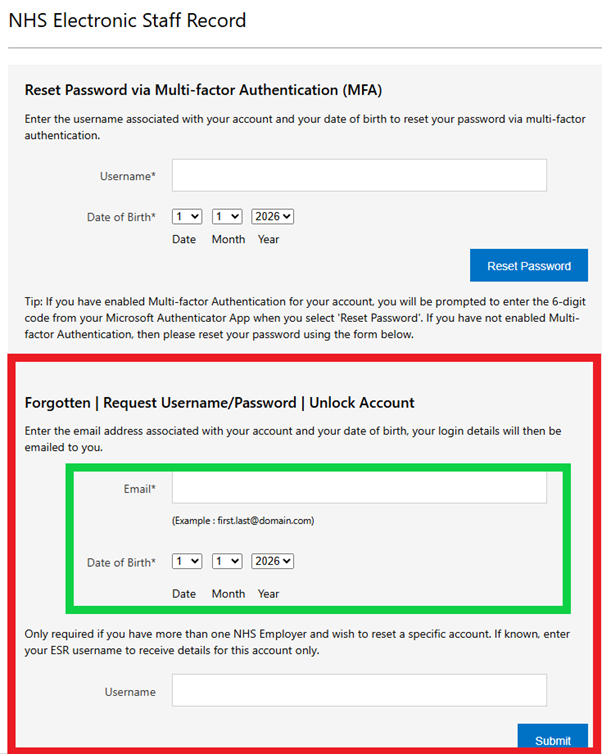
- Enter the email address that you are registered with NHS Professionals with and your date of birth (highlighted by the green box above) and click Submit.
Note for Substantive Bank Members: When you request 'Forgotten | Request Username/Password | Unlock Account' it will display a list of all your usernames associated with your email address (if you use the same email for both accounts). Choose the username for work undertaken with NHS Professionals which will begin with 922, to reset that password only.
- You will then receive an email from esr.wfmPROD@nhs.net with your Username, within this email there is a link to re-set your password.
- Click the link.
- Enter the Username you have been provided. You can now enter a password of your choosing.
- Finally click Confirm Password.
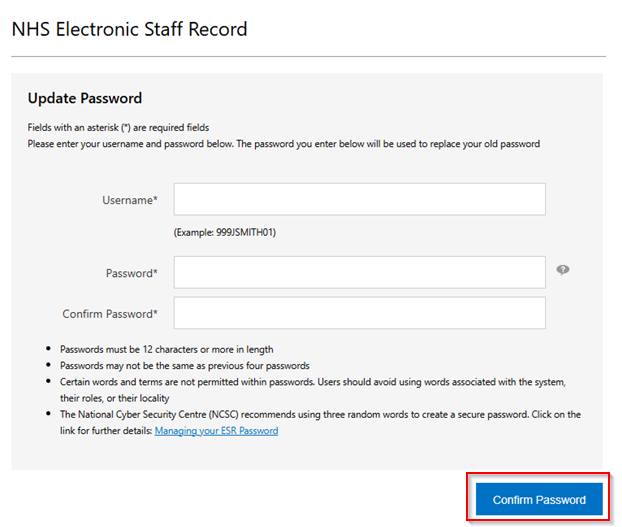
You will now be able to log in via the ESR home screen.
I have forgotten my password
If you have forgotten your password, please follow the steps above, to re-set your password.
Having Trouble Logging In?
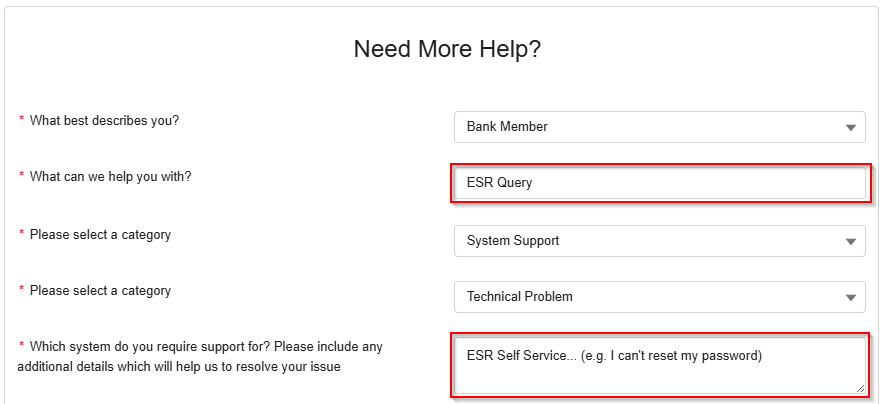
If your email address is not recognised or you have other login issues, please scroll down to complete our Help & Support Webform with the following options:
The boxes in red are free text options.