
Login
If you're not sure how to login to our portal, please see our article How do I login to my NHSP:Online account?
Accessing the Application Form
If you haven't started an application yet and have already registered, you will be taken to the Add My Details screen. Please go to the 'Providing Your Details' heading below
Providing your Details
You will be asked to provide your personal information including;
Title
Address
Phone number
National Insurance number
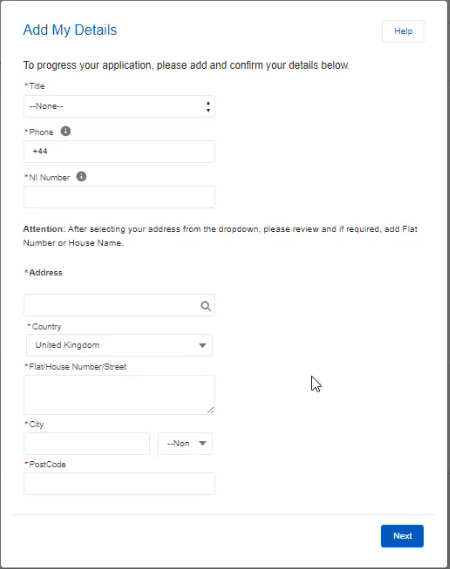
Please check all your details are correct on the next screen. If they are correct, please click 'Next'. Otherwise:
To change your title, address, phone number or NI number, click the 'Previous' button.
For all other information, please see our article I need to update my details.
If you have already started an application, click on 'Menu' below the search bar, then click on 'My Applications'
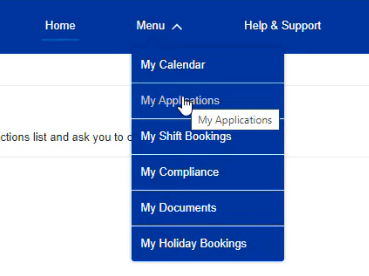
Then click on your Application Name.

This usually starts "APP-". You will then be taken to the last point you reached in your application.